今年自疫情以來,我都沒有寫過文章。一方面是疫情導致居家辦公比較煩躁,另一方面最近有點懶了。但是工作還是要繼續,趁這幾天優化了一下最近的項目,我整理了一下如何使用 OpenCV 和微信二維碼引擎來實現二維碼的識別。
微信開源了其二維碼的解碼功能,并貢獻給 OpenCV 社區。其開源的 wechat_qrcode 項目被收錄到 OpenCV contrib 項目中。從 OpenCV 4.5.2 版本開始,就可以直接使用。
該項目 github 地址:https://github.com/opencv/opencv_contrib/tree/master/modules/wechat_qrcode
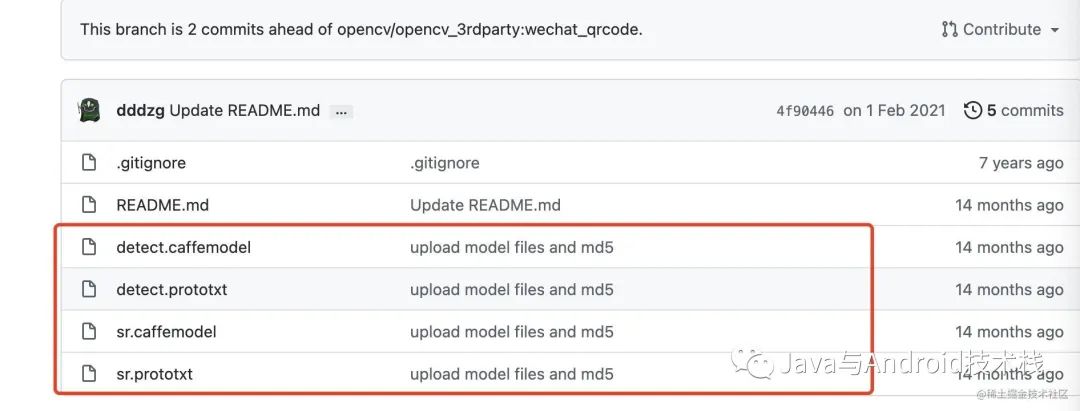
模型文件的地址:https://github.com/WeChatCV/opencv_3rdparty
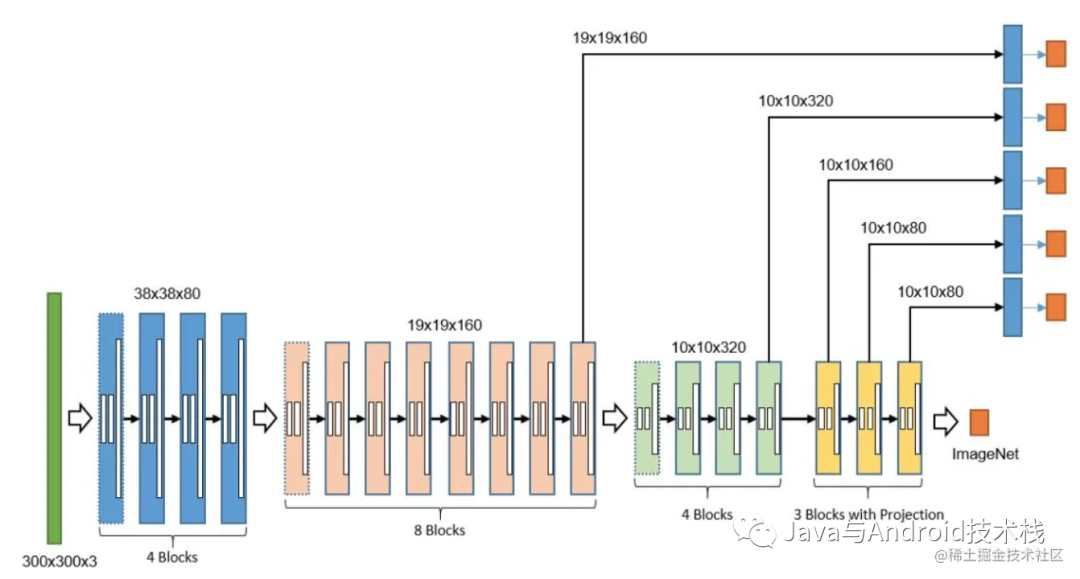
微信的掃碼引擎,很早就支持了遠距離二維碼檢測、自動調焦定位、多碼檢測識別等功能,它是基于 CNN 的二維碼檢測。
首先,定義一個 AlgoQrCode.h
#pragma?once
#include?
#include?
using?namespace?cv;
using?namespace?std;

class?AlgoQRCode
{
private:
?Ptr?detector;

public:
?bool?initModel(string?modelPath);

?string?detectQRCode(string?strPath);

?bool?compression(string?inputFileName,?string?outputFileName,?int?quality);

?void?release();
};
該頭文件定義了一些方法,包含了加載模型、識別二維碼、釋放資源等方法,以及一個 detector 對象用于識別二維碼。
然后編寫對應的源文件 AlgoQrCode.cpp
bool?AlgoQRCode::initModel(string?modelPath)?{
?string?detect_prototxt?=?modelPath?+?"detect.prototxt";
?string?detect_caffe_model?=?modelPath?+?"detect.caffemodel";
?string?sr_prototxt?=?modelPath?+?"sr.prototxt";
?string?sr_caffe_model?=?modelPath?+?"sr.caffemodel";
?try
?{
??detector?=?makePtr(detect_prototxt,?detect_caffe_model,?sr_prototxt,?sr_caffe_model);
?}
?catch?(const?std::exception&?e)
?{
??cout?<endl;
??return?false;
?}

?return?true;
}

string?AlgoQRCode::detectQRCode(string?strPath)
{
?if?(detector?==?NULL)?{
??return?"-1";
?}

?vector?vPoints;
?vector?vStrDecoded;
?Mat?imgInput?=?imread(strPath,?IMREAD_GRAYSCALE);
//?vStrDecoded?=?detector->detectAndDecode(imgInput,?vPoints);
????????....
}

bool?AlgoQRCode::compression(string?inputFileName,?string?outputFileName,?int?quality)?{
?Mat?srcImage?=?imread(inputFileName);

?if?(srcImage.data?!=?NULL)
?{
??vector<int>compression_params;
??compression_params.push_back(IMWRITE_JPEG_QUALITY);
??compression_params.push_back(quality);?????//圖像壓縮參數,該參數取值范圍為0-100,數值越高,圖像質量越高

??bool?bRet?=?imwrite(outputFileName,?srcImage,?compression_params);

??return?bRet;
?}

?return?false;
}

void?AlgoQRCode::release()?{
?detector?=?NULL;
}
其中:
識別二維碼,其實就是調用 detector 對象的 detectAndDecode() 方法。
最后,寫一個 main() 函數測試一下,是否可用:
int?main()
{
????AlgoQRCode?algoQrCode?=?AlgoQRCode();
????algoQrCode.initModel("/Users/tony/IdeaProjects/creative-mirror-watcher/mirror/src/main/resources/");
????string?value?=?algoQrCode.detectQRCode("/Users/tony/20220216851652_compress.jpeg");
????cout<<"value="<endl;
}
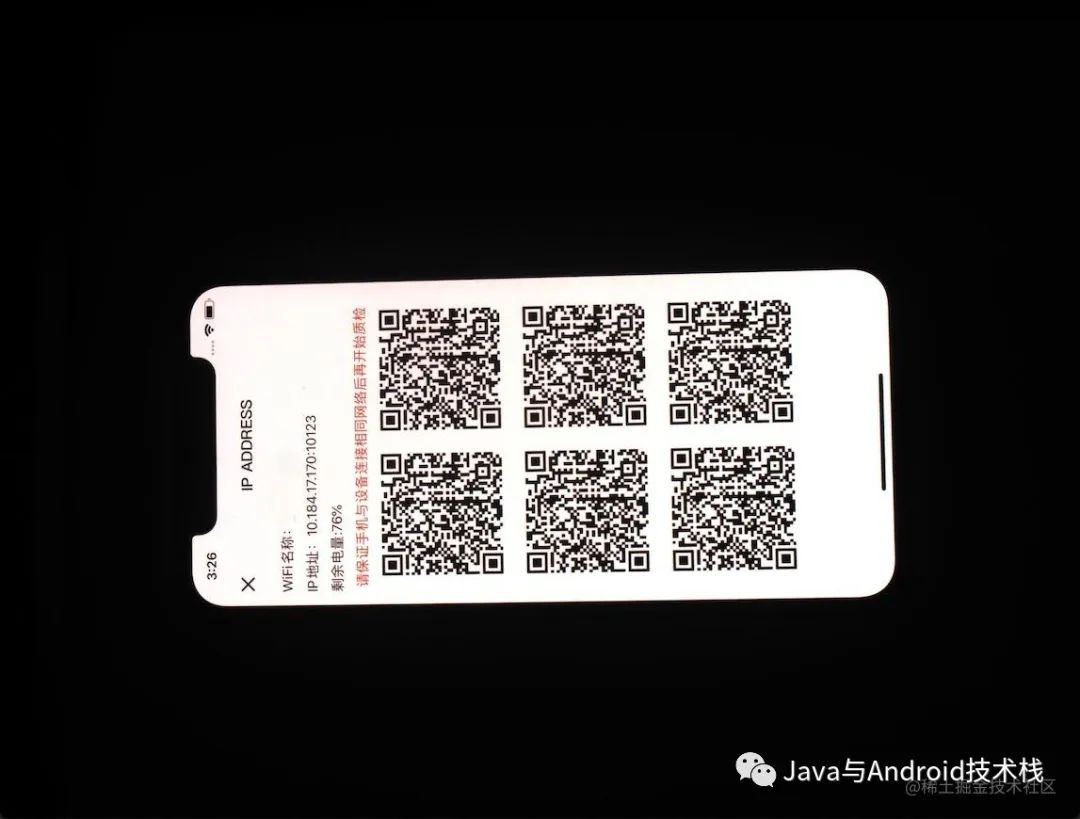
執行結果,識別二維碼的內容:
value={
??"osVersion"?:?"iOS?13.3",
??"model"?:?"蘋果?iPhone?X",
??"ip"?:?"10.184.17.170",
??"port"?:?10123
}
寫到這里,基本上完成了二維碼識別的封裝,可以給上層平臺編譯對應的算法包了。
我們最終是需要使用 Java/Kotlin 在 Windows 平臺上調用該 cv 程序。因為該項目是一款智能設備的上位機程序。所以還需要編寫一個 jni 程序供 Java/Kotlin 調用,這個過程就不再闡述了。
最后,將 cv 程序和 jni 相關的代碼最終編譯成一個 dll 文件,供上位機程序調用,實現最終的需求。
其實,上述代碼可以供各種平臺使用,無論是移動端、桌面端、服務端。微信開源了一款非常快速的二維碼引擎,節省了我們原先大量的工作。