

# coding: GBK[global]index-url = https://pypi.tuna.tsinghua.edu.cn/simple[install]trusted-host = https://pypi.tuna.tsinghua.edu.cn#清華大學:https://pypi.tuna.tsinghua.edu.cn/simple#阿里云:http://mirrors.aliyun.com/pypi/simple/
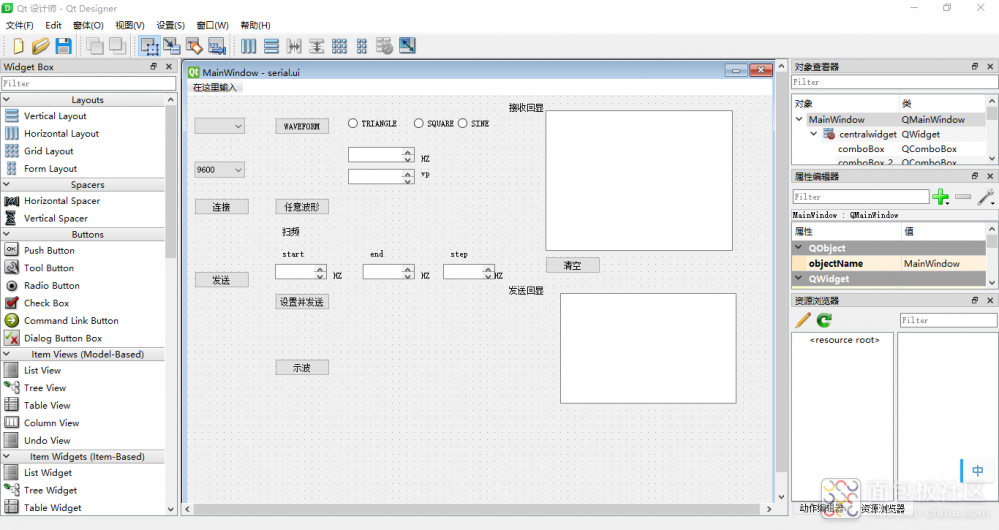
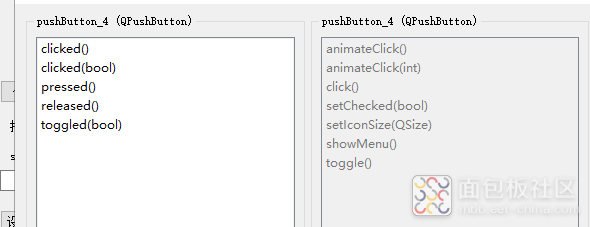
self.send=self.pushButton_2#獲取按鈕控件對象def send_handl(self):#自定義槽函數send_handl 處理具體的按下操作,比如發送數據self.send.clicked.connect(self.send_handl)#把按鈕控件按下信號綁定到槽函數send_handl()#按下按鈕執行send_handl函數通信我使用的是串口通信,python中通過serial庫實現串口通信。self.uart =serial.Serial(port, 9600)#串口對象構造參數 端口號(字符串),波特率(整型)self.uart.readline()#串口讀取函數self.uart.write(data.encode())#串口寫入函數data.encode()#表示對發送的信息進行編碼,編碼為utf-8data.decode()#表示對接收的信息解碼
self.timer.timeout.connect(self.update)定時更新數據self.timer.start(50)def init(self):win = pg.GraphicsLayoutWidget()win.setBackground("w")self.plot = self.widget.addPlot()self.plot.setMouseEnabled(x=False, y=False)#禁止鼠標拖動self.plot.showAxes(True,showValues=(True, True, True, True),size=20)#顯示坐標軸vb = self.plot.getViewBox()vb.setBackgroundColor('w')#設置畫布背景self.curve = self.plot.plot(pen='black')win.show()def update(self):#更新數據# a=range(0,1000,1)if(q.full()):#print("ok")for i in range(0, 256, 1):x=str(q.get())try:a=int(re.sub("\D","",x))except ValueError:print(a)self.curve.setData(a)#把數據填入圖表中self.curve.setPos(self.ptr, 0)self.ptr += 1
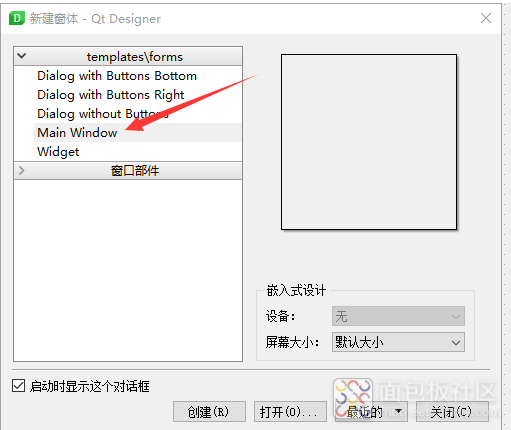
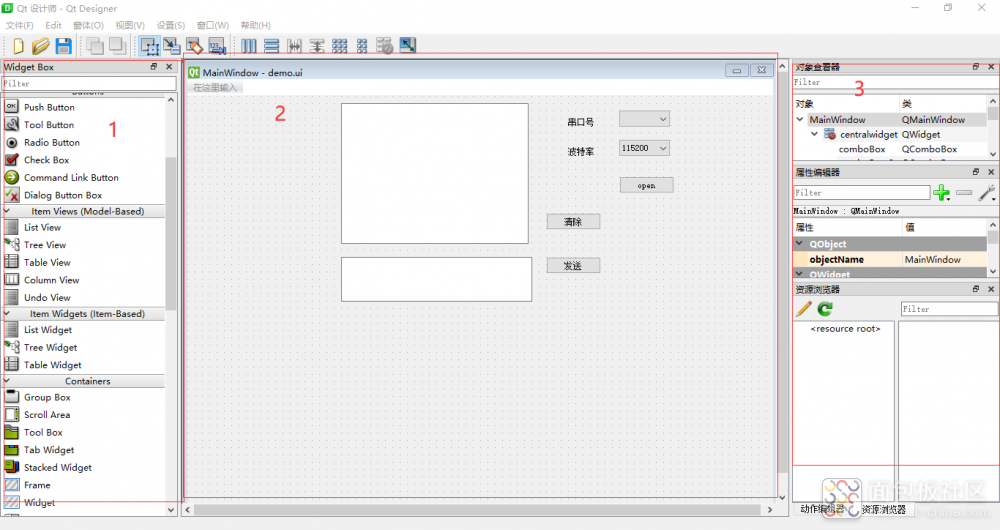

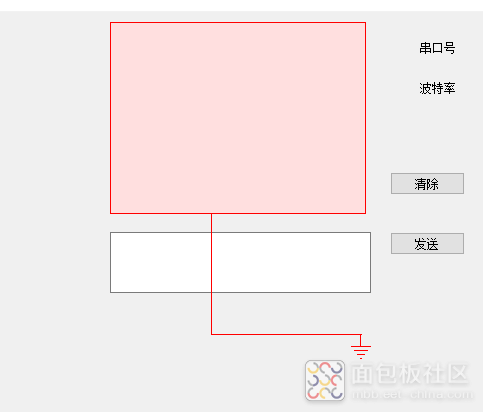
from ui_a import Ui_MainWindow#導入ui轉py文件class MyWindow(QtWidgets.QMainWindow,Ui_MainWindow):#繼承父類QWidget這個MyWindow就是我們設計功能的主類,所以需要繼承PyQT和MainWindow類。以便操作他們派生的對象。在MyWindow構造函數中,初始化父類對象和界面組件對象。在def ini_ui(self):初始化控件self.com=self.comboBox獲取控件對象把控件的信號綁定到槽函數comfun上,self.com.activated.connect(self.comfun)
編寫槽函數def comfun(self):global ser, serialPortserialPort=self.com.currentText()#獲取當前的串口號print(serialPort)ser.port=serialPort#設置串口對象的串口號其他控件都差不多發送槽函數def sendhand(self):global serialPort, serif self.pushButton.text() == '斷開'and serialPort != None:send_str=self.textEdit.toPlainText()ser.write(send_str.encode('utf-8'))定時器定時監控接收緩沖區def time_out(self):global ser, timer_valuedata = ser.read_all()txt=str(data.decode())if (len(txt)!=0):self.textBrowser.append(txt)self.timer.start(timer_value)
app=QApplication(sys.argv)timer_value=100#間隔100ms讀一次串口baudRate = 115200ser=serial.Serial(timeout=0.5)############com_list=get_com_list()if com_list!=[]:#將設備名填入到下拉框中for i in range(len(com_list)):w.com.addItem(com_list)serialPort=com_list[0]#默認為第一個端口else:serialPort = Nonew.show_dialog(str='請先打開串口')#############開啟圖形化界面w=MyWindow()w.show()#w->ui->show ui里有布局#w.show_dialog("123456")#程序進行循環等待狀態app.exec()
END
活動時間:5月18日-7月31日
獎項設置:
一等獎(1名):大疆 DJI Mini 2 SE 航拍機(¥ 2388)
二等獎(2名):京東卡500元
三等獎(2名):京東卡300元
鼓勵參與獎(10名):京東卡50元
活動要求:
可以是單純的拆解過程、也可以是單純的DIY、也可以是拆解+改造。
 點擊閱讀原文,參加活動!


