微信公眾號:OpenCV學堂
關注獲取更多計算機視覺與深度學習知識
引言
圖像分析SDK支持
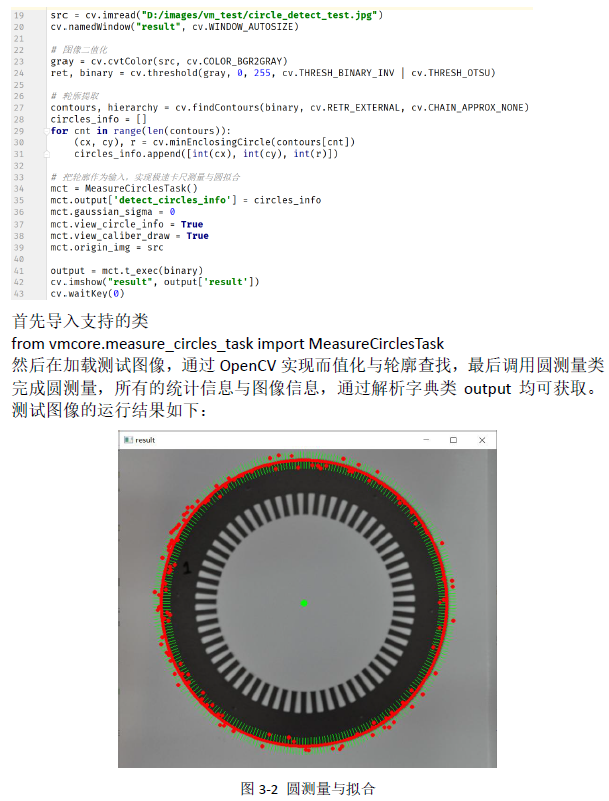
YOLOv8推理SDK支持
from dlcore.dl_infer_settings import DLInferSettingsfrom dlcore.yolov8_vino_ort_infer import YOLOv8Detector
import cv2 as cvsettings = DLInferSettings()settings.weight_file_path = self.weight_file_path.text()settings.label_map_file_path = "D:/projects/classes.txt"settings.target_deploy = 1detector = YOLOv8Detector(settings)image = cv.imread(image_file)detector.infer_image(image)cv.waitKey("result", image)
綜合代碼演示
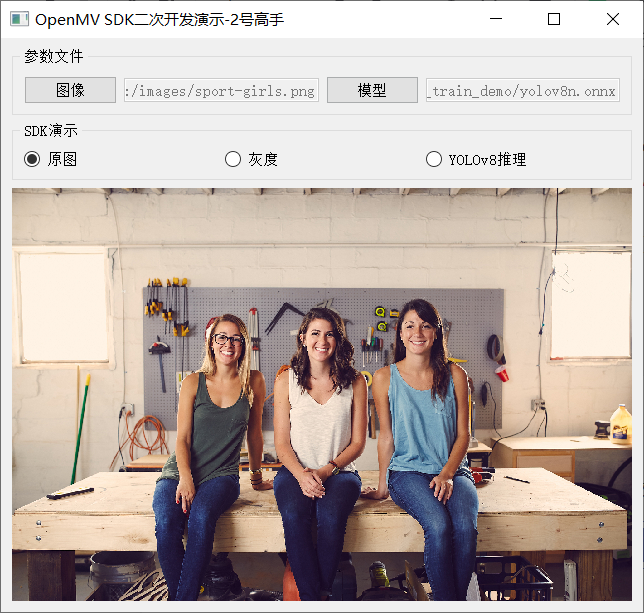
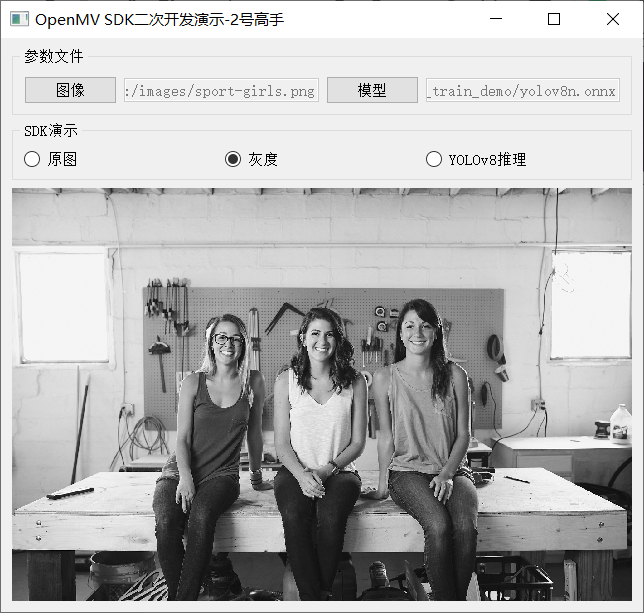
灰度
YOLOv8推理
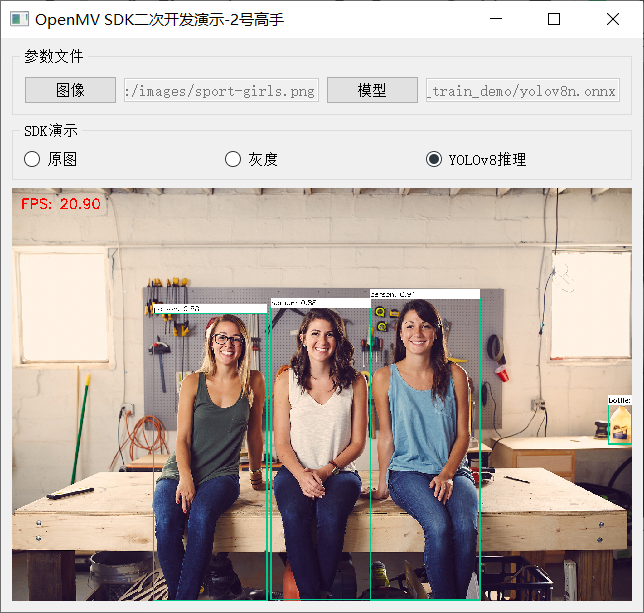
相關實現代碼如下:
  1from?dlcore.yolov8_vino_ort_infer?import?YOLOv8Detector
  2from?dlcore.dl_infer_settings?import?DLInferSettings
  3import?cv2?as?cv
  4from?PyQt5?import?QtWidgets,?QtCore,?QtGui
  5from?vmcore.color_space_task?import?ColorSpaceTask
  6import?sys
  7
  8
  9class?RadioCheckBoxDemoPanel(QtWidgets.QWidget):
 10????def?__init__(self,?parent=None):
 11????????super().__init__(parent)
 12????????#?文本標簽
 13????????self.rbtn0?=?QtWidgets.QRadioButton("原圖")
 14????????self.rbtn1?=?QtWidgets.QRadioButton("灰度")
 15????????self.rbtn3?=?QtWidgets.QRadioButton("YOLOv8推理")
 16????????self.rbtn0.setChecked(True)
 17
 18????????hbox_layout1?=?QtWidgets.QHBoxLayout()
 19????????hbox_layout1.addWidget(self.rbtn0)
 20????????hbox_layout1.addWidget(self.rbtn1)
 21????????hbox_layout1.addWidget(self.rbtn3)
 22
 23????????panel1?=?QtWidgets.QGroupBox("SDK演示")
 24????????panel1.setLayout(hbox_layout1)
 25
 26????????#?輸入文本框
 27????????self.image_file_edit?=?QtWidgets.QLineEdit()
 28????????self.image_file_edit.setMinimumWidth(100)
 29????????self.image_file_edit.setEnabled(False)
 30????????fileBtn?=?QtWidgets.QPushButton("圖像")
 31????????self.weight_file_path?=?QtWidgets.QLineEdit()
 32????????self.weight_file_path.setMinimumWidth(100)
 33????????self.weight_file_path.setEnabled(False)
 34????????modelBtn?=?QtWidgets.QPushButton("模型")
 35
 36????????hbox_layout2?=?QtWidgets.QHBoxLayout()
 37????????hbox_layout2.addWidget(fileBtn)
 38????????hbox_layout2.addWidget(self.image_file_edit)
 39????????hbox_layout2.addWidget(modelBtn)
 40????????hbox_layout2.addWidget(self.weight_file_path)
 41
 42????????panel2?=?QtWidgets.QGroupBox("參數文件")
 43????????panel2.setLayout(hbox_layout2)
 44
 45????????#?輸入文本框
 46????????self.label?=?QtWidgets.QLabel()
 47????????pixmap?=?QtGui.QPixmap("images/wp.jpg")
 48????????pix?=?pixmap.scaled(QtCore.QSize(620,?500),?QtCore.Qt.KeepAspectRatio)
 49????????self.label.setPixmap(pix)
 50????????self.label.setAlignment(QtCore.Qt.AlignCenter)
 51????????self.label.setStyleSheet("background-color:black;?color:?green")
 52
 53????????#?添加到布局管理器中
 54????????vbox_layout?=?QtWidgets.QVBoxLayout()
 55????????vbox_layout.addWidget(panel2)
 56????????vbox_layout.addWidget(panel1)
 57????????vbox_layout.addWidget(self.label)
 58????????vbox_layout.addStretch(1)
 59
 60????????#?面板容器
 61????????self.setLayout(vbox_layout)
 62
 63????????#?setup?listener
 64????????self.rbtn0.toggled.connect(self.on_update_original)
 65????????self.rbtn1.toggled.connect(self.on_update_gray)
 66????????self.rbtn3.toggled.connect(self.on_yolov8_infer)
 67????????modelBtn.clicked.connect(self.on_weight_select)
 68????????fileBtn.clicked.connect(self.on_update_image)
 69
 70????def?on_update_original(self):
 71????????image_file?=?self.image_file_edit.text()
 72????????if?len(image_file)?==?0?or?image_file?is?None:
 73????????????QtWidgets.QMessageBox.warning(self,?"警告",?"圖像文件未選擇...")
 74????????????return
 75????????pixmap?=?QtGui.QPixmap(image_file)
 76????????pix?=?pixmap.scaled(QtCore.QSize(620,?500),?QtCore.Qt.KeepAspectRatio)
 77????????self.label.setPixmap(pix)
 78
 79????def?on_update_gray(self):
 80????????image_file?=?self.image_file_edit.text()
 81????????if?len(image_file)?==?0?or?image_file?is?None:
 82????????????QtWidgets.QMessageBox.warning(self,?"警告",?"圖像文件未選擇...")
 83????????????return
 84????????image?=?cv.imread(image_file)
 85????????cst?=?ColorSpaceTask()
 86????????cst.low_scalar?=?(0,?0,?0)
 87????????cst.high_scalar?=?(0,?0,?0)
 88????????#?0?-?BGR,?1?-?HSV,?2?-?gray
 89????????cst.color_type?=?2
 90????????output?=?cst.t_exec(image)
 91????????gray?=?output['result']
 92????????dst?=?cv.cvtColor(gray,?cv.COLOR_GRAY2RGB)
 93
 94????????height,?width,?channel?=?dst.shape
 95????????bytesPerLine?=?3?*?width
 96????????img?=?QtGui.QImage(dst.data,?width,?height,?bytesPerLine,?QtGui.QImage.Format_RGB888)
 97????????pixmap?=?QtGui.QPixmap(img)
 98????????pix?=?pixmap.scaled(QtCore.QSize(620,?500),?QtCore.Qt.KeepAspectRatio)
 99????????self.label.setPixmap(pix)
100
101????def?on_yolov8_infer(self):
102????????image_file?=?self.image_file_edit.text()
103????????if?len(image_file)?==?0?or?image_file?is?None:
104????????????QtWidgets.QMessageBox.warning(self,?"警告",?"圖像文件未選擇...")
105????????????return
106
107????????settings?=?DLInferSettings()
108????????settings.weight_file_path?=?self.weight_file_path.text()
109????????settings.label_map_file_path?=?"D:/projects/classes.txt"
110????????settings.target_deploy?=?1
111????????detector?=?YOLOv8Detector(settings)
112????????image?=?cv.imread(image_file)
113????????detector.infer_image(image)
114
115????????dst?=?cv.cvtColor(image,?cv.COLOR_BGR2RGB)
116????????height,?width,?channel?=?dst.shape
117????????bytesPerLine?=?3?*?width
118????????img?=?QtGui.QImage(dst.data,?width,?height,?bytesPerLine,?QtGui.QImage.Format_RGB888)
119????????pixmap?=?QtGui.QPixmap(img)
120????????pix?=?pixmap.scaled(QtCore.QSize(620,?500),?QtCore.Qt.KeepAspectRatio)
121????????self.label.setPixmap(pix)
掃碼查看OpenCV+OpenVIO+Pytorch系統化學習路線圖

?推薦閱讀?
CV全棧開發者說 - 從傳統算法到深度學習怎么修煉
2022入坑深度學習,我選擇Pytorch框架!
Pytorch輕松實現經典視覺任務
教程推薦 | Pytorch框架CV開發-從入門到實戰
OpenCV4 C++學習 必備基礎語法知識三
OpenCV4 C++學習 必備基礎語法知識二
OpenCV4.5.4 人臉檢測+五點landmark新功能測試
OpenCV4.5.4人臉識別詳解與代碼演示
OpenCV二值圖象分析之Blob分析找圓
OpenCV4.5.x DNN + YOLOv5 C++推理
OpenCV4.5.4 直接支持YOLOv5 6.1版本模型推理
OpenVINO2021.4+YOLOX目標檢測模型部署測試
比YOLOv5還厲害的YOLOX來了,官方支持OpenVINO推理